AirPaint
A browser-based drawing studio that explores hand gestures as a creative interface, with neon brushes, scene themes, and drawing challenges.
Open live project (opens in a new tab)A canvas in the air.
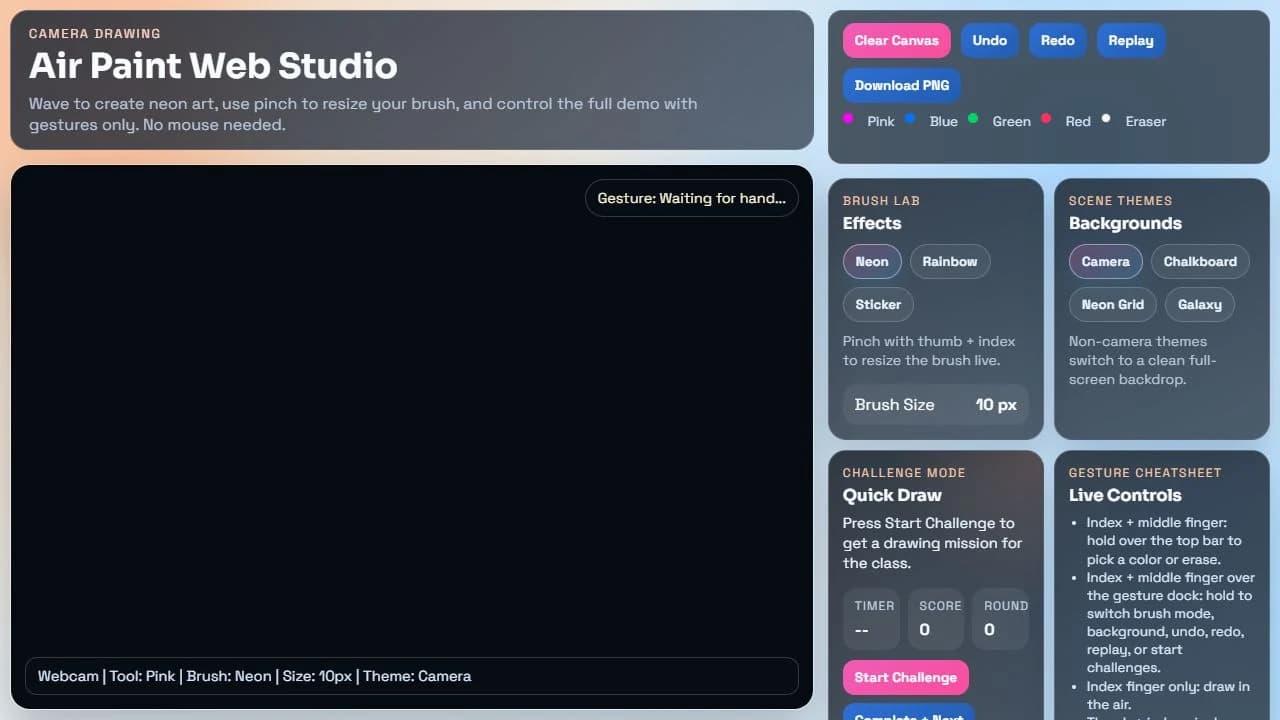
Air Paint Web Studio presents a webcam-based, gesture-controlled drawing experience. The public interface includes brush effects, background themes, drawing history controls, PNG export, and a quick-draw challenge mode.
The problem
Creative tools typically depend on a mouse, stylus, or touchscreen. This project explores how hand gestures could provide another way to draw and interact with a digital canvas.
The solution
Combine a browser canvas with a camera-oriented interaction model. The studio explains gestures for drawing, color selection, brush sizing, clearing, and saving, alongside conventional controls.
Technology & scope
What it brings together.
- 01Neon, rainbow, and sticker brush controls
- 02Camera, chalkboard, neon grid, and galaxy themes
- 03Undo, redo, replay, and PNG export controls
- 04Quick-draw challenge interface and gesture cheatsheet
The pieces.
The connections.
A conceptual view of the project’s main components and how they connect.
- 01Camera input
- 02Gesture interpretation
- 03Drawing state
- 04Canvas and export↗
A look at the live project.
Questions worth solving.
Key engineering considerations for the project.
- Making gesture selection understandable and discoverable.
- Handling camera permissions and varying hand visibility.
- Keeping drawing, history, and export state consistent.